toe: Thom’s Own Editor#
toe is a modal terminal editor for Go development. toe edits Go projects, not the universe.
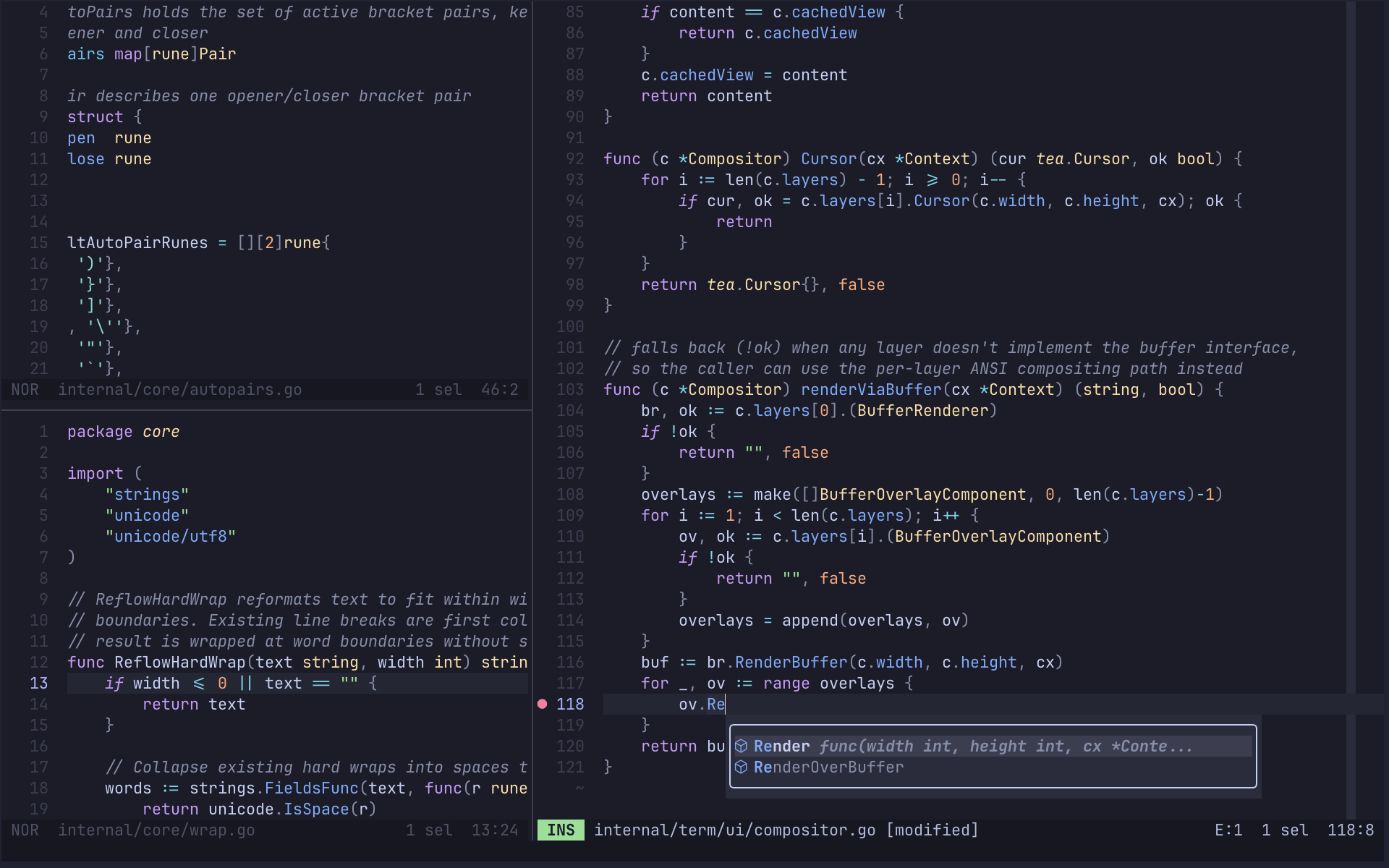
Super Opinionated#
toe is opinionated because it is built for one tight workflow: editing Go projects from a terminal without growing into a general-purpose IDE. It favors modal editing, gopls, TOML config, project-local state, Git diff gutters and a changed-file picker, and a small set of deliberate defaults over plugin sprawl or endless knobs.
- Modal editing: normal, insert, and selection modes; multi-cursor editing; undo and redo
- Project navigation: multiple buffers, split views, fuzzy file/buffer pickers, global search, file and diff previews, image panes, binary/hex panes, and an integrated terminal pane
- Go-focused language tooling: syntax highlighting, language server completion, hover, signature help, formatting, symbols, code actions, rename, go-to navigation, and diagnostics
- Editor display: soft wrap, rulers, whitespace rendering, indent guides, gutters, configurable cursor shapes, and statusline elements
- Version control: git diff gutters, changed-hunk navigation and reset, and a changed-file picker with unified diff previews
- Project state: workspace trust, user/workspace TOML config, EditorConfig, session persistence, external file change detection, and clean-buffer reloads
- 4 Catppuccin themes: frappe, latte, macchiato, mocha
Scope#
- Go first. Other language servers are configurable in
languages.toml; Go withgoplsis the workflow toe is designed and tested around. - Version control is Git. Diff gutters, hunk navigation and reset, and the changed-file picker all run against the git binary.
- Terminal capability. Image panes need a terminal that speaks the Kitty graphics protocol; other binary files open as a read-only hex dump. Nerd Font glyphs are on by default and fall back to short ASCII labels.
- Clipboard. toe uses
pbcopy/pbpaste,xclip,xsel, orwl-copy/wl-pastewhen present, with an OSC 52 fallback so copies reach the clipboard over SSH.
Quick Start#
brew install kode4food/tap/toe   # install
toe path/to/file                 # open a file
Press i to insert text. Escape returns to Normal mode. :wq saves and quits.
Acknowledgements#
toe is possible because of excellent terminal UI, parsing, syntax highlighting, and theme projects:
- The Charm team for Bubble Tea, which gives toe its TUI runtime, input handling, and terminal output
- The Tree-sitter project for the incremental parsing stack and grammars behind toe’s Tree-sitter highlighting
- The Chroma project, the pure-Go syntax highlighter toe uses as its highlighting fallback
- The Catppuccin project for the Latte, Frappe, Macchiato, and Mocha palettes. toe ships only Catppuccin themes because I love them and I don’t care if you don’t ;-)